
KICK: Live Streaming
KICK - Live StreamingEntertainment
4.67.74K Reviews
- Version
- Varies With Device
- Installs
- 50.00M
- Age Rating
- Teen
Screenshots


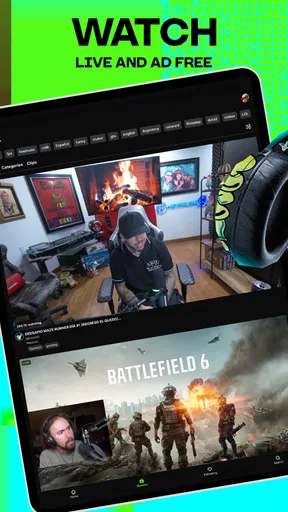
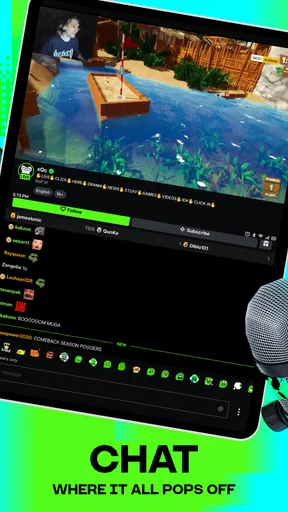
Our Review of KICK: Live Streaming
 Analysis by Appyee
Alright, let's dive into the world of KICK: Live Streaming. If you're into live streaming apps, this is one you might want to check out. I've spent some time playing around with it, and I've got the lowdown on what makes this app tick. So, grab a cup of coffee, or whatever keeps you going, and let's explore.
First Impressions
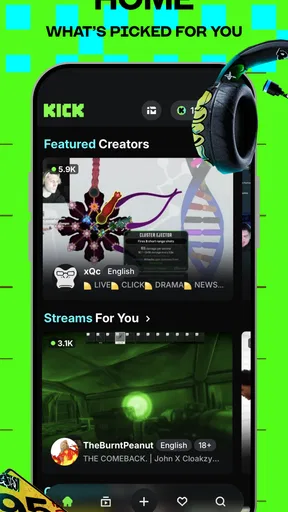
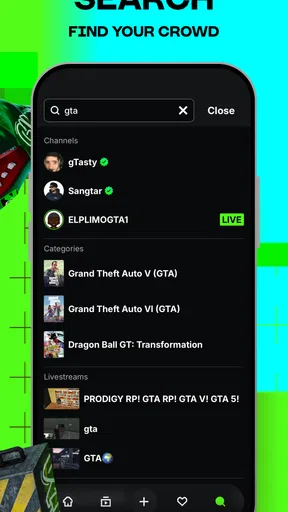
When you first open KICK: Live Streaming, you're greeted with a sleek and modern interface. It's pretty intuitive, which is a big plus. No one wants to spend hours figuring out how to go live, right? The design feels fresh, and the navigation is straightforward, making it easy to find your way around. I was up and running in no time.
Features That Stand Out
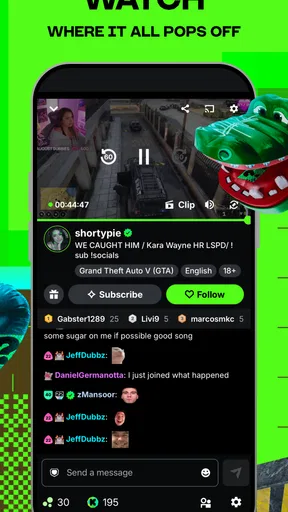
One of the standout features of this app is its real-time interaction capabilities. You can engage with your viewers seamlessly, and the latency is impressively low. This means your audience gets to experience your content almost as it's happening. Pretty cool if you ask me.
Another neat feature is the multi-platform streaming. You can broadcast your content to various platforms simultaneously, expanding your reach without a hitch. This is ideal for content creators looking to grow their audience across different platforms.
Oh, and did I mention the customization options? You can tweak your stream layout, add overlays, and even integrate third-party apps. It's all about making your stream look as professional or as quirky as you want.
User Experience
The app runs smoothly for the most part. I didn't encounter any major bugs or crashes, which is always a relief. The streaming quality is top-notch, too. Whether you're using your phone's camera or an external device, the app handles it well, giving you crisp and clear video output.
I also appreciated the robust community features. You can join groups, follow your favorite streamers, and even participate in live chats. It adds a social element that keeps things lively and engaging.
Room for Improvement
While KICK: Live Streaming has a lot going for it, there's always room for improvement. For instance, I noticed that the app's analytics could use a bit more depth. It provides basic stats, but for those data-driven folks out there, a more detailed breakdown would be beneficial.
Another thing I’d love to see is more options for monetization. Sure, you can receive support from your fans, but having more ways to earn could really boost the app’s appeal for professional streamers.
Final Thoughts
All in all, KICK: Live Streaming is a solid choice for anyone looking to dive into live streaming. It's user-friendly, feature-rich, and offers a good mix of customization and community interaction. Whether you're an aspiring streamer or a seasoned pro, you'll find plenty to like here.
So, if you're on the hunt for a new streaming app, give KICK: Live Streaming a shot. You might just find it to be the perfect platform for your streaming adventures. Happy streaming!
Privacy and Permissions
See what permissions an app requests and how it handles your data.
- Photos/Media/Files
- read the contents of your USB storage, modify or delete the contents of your USB storage
- Storage
- read the contents of your USB storage, modify or delete the contents of your USB storage
- Camera
- take pictures and videos
- Microphone
- record audio
- Wi-Fi connection information
- view Wi-Fi connections
- Other
- view network connections, full network access, run at startup, draw over other apps, control vibration, prevent device from sleeping, read Google service configuration
Verdict
Strengths of KICK: Live Streaming
- User-friendly interface for easy navigation.
- High-quality streaming with minimal lag.
- Interactive chat features enhance engagement.
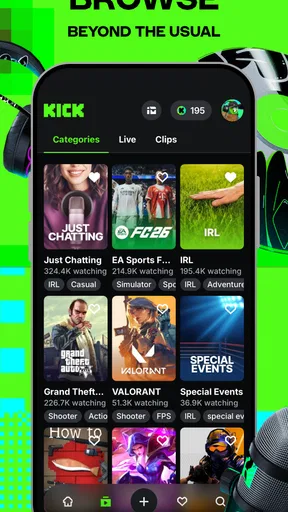
- Diverse content categories available.
- Supports multiple payment methods for donations.
Limitations of KICK: Live Streaming
- Occasional ads can disrupt viewing experience.
- Limited parental controls for younger users.
- Some content may not be suitable for all ages.
- Needs stable internet for optimal performance.
- Notifications can be overwhelming at times.
Similar Picks in This Category
View All
Google Play Games
Google LLC3.9

Netflix
Netflix, Inc.4.8

YouTube Kids
Google LLC4.2

Disney+
Disney4.4

Prime Video
Amazon Mobile LLC4.7

Steam
Valve Corporation3.2
Frequently Asked Questions
What is KICK: Live Streaming, and how does it work?
KICK: Live Streaming is a platform where users can broadcast live videos and interact with viewers in real-time. Similar to other streaming services, it allows for live chats, reactions, and community building. Users can follow their favorite streamers for updates and notifications when they go live.
Is KICK: Live Streaming free to use?
Yes, KICK: Live Streaming is free to download and use. However, to support your favorite streamers, you can choose to make in-app purchases or donations. These optional features enhance interaction and support content creators, but they are not necessary for basic usage.
What are the system requirements for using KICK: Live Streaming?
KICK: Live Streaming is available for both Android and iOS devices. For optimal performance, ensure your device is running on Android 8.0 or later, or iOS 11.0 or later. A stable internet connection is also crucial to stream and view content without interruptions.
How can I ensure my privacy while using KICK: Live Streaming?
Maintaining privacy is important while using KICK: Live Streaming. The app offers privacy settings where you can control who sees your streams and interactions. It’s advisable to review these settings before broadcasting and avoid sharing personal information during streams.
What types of content can I expect on KICK: Live Streaming?
KICK: Live Streaming hosts a diverse array of content, from gaming and music to cooking and fitness. Streamers from various backgrounds showcase their talents and hobbies, making it a versatile platform for viewers with different interests. Always check community guidelines to ensure content suitability.
